

Best WordPress Plugin for Membership Compatibility (AMPforWP – Paid Memberships Pro For AMP Review 2026)
Ensuring your membership site remains profitable on mobile is a major challenge. In 2026, mobile users expect instant loading speeds via Accelerated Mobile Pages (AMP). However, standard membership lockers often fail on AMP, allowing users to bypass your paywall.
AMPforWP – Paid Memberships Pro For AMP is the dedicated solution to this problem. It brings full compatibility between Paid Memberships Pro (PMPro) and the AMPforWP framework. This ensure your revenue remains secure while providing a lightning-fast experience for mobile subscribers.
In this guide, we detail how this add-on optimizes your Conversion Rate Optimization (CRO). If you want to increase membership conversions on mobile, this integration is a mechanical necessity.
What is AMPforWP – Paid Memberships Pro?
AMPforWP Paid Memberships Pro For AMP is a premium WordPress add-on. It bridges the gap between the world’s most popular membership plugin and the leading AMP solution. It allows your site to enforce membership levels even on stripped-down, high-speed mobile pages.
Without this add-on, PMPro shortcodes and content filters often disappear or malfunction on AMP. This tool translates that complex logic into AMP-valid code. It ensures that “locked” content remains locked until the user logs in on their phone.
Key takeaway: This plugin maintains your paywall integrity on mobile search. It is the bridge between high-speed performance and secure recurring revenue.
Why This is the Best Plugin for PMPro Mobile Optimization
This add-on is the best because it is purpose-built for the PMPro ecosystem. It doesn’t just hide content; it preserves the entire membership funnel on mobile.
- Security: It prevents “paywall leaking” on Google’s AMP cache.
- Speed: It preserves 100% of the AMP performance benefits.
- Compliance: It ensures your mobile checkout is AMP-valid and secure.
- Tracking: It respects your affiliate and conversion tracking scripts on mobile.
By using this compatibility layer, you eliminate the risk of mobile users getting your premium content for free. You get the SEO benefits of AMP without sacrificing your membership business model.
Top Features of AMPforWP Compatibility That Increase Conversions
The AMPforWP PMPro features are designed to provide a seamless mobile experience. Here are the core tools included in the latest 2026 version.
AMP-Valid Membership Restrictions
The add-on ensures that the [membership] shortcode works perfectly on AMP. It hides restricted text and replaces it with your custom “Member Only” message or login CTA.
Mobile-Optimized Checkout Forms
Standard checkout pages are often too heavy for mobile. This add-on generates lightweight, AMP-compatible checkout forms. This reduces friction and prevents cart abandonment on smartphones.
Tiered Content Access on Mobile
It supports your full range of membership levels. Whether you have Free, Silver, or Gold tiers, the AMP version of your site will serve the correct content to the right user.
AMP-Ready Account Dashboards
Members can view their account status, invoices, and renewal dates directly on mobile. The dashboard is simplified for small screens but remains fully functional.
Login and Registration Synchronization
It ensures that the login and registration process is smooth on AMP. It redirects users correctly after they sign up, keeping them in the mobile-optimized loop.
How This Add-on Boosts Membership Conversion Rates
This tool increases your earnings by removing mobile friction. If a user clicks an AMP link and sees a broken locker, they will leave immediately. This add-on provides a professional, working paywall that inspires trust.
Data shows that mobile users are much more likely to complete a purchase if the form is simple. By providing AMP-compliant forms, this add-on directly improves your Conversion Rate Optimization (CRO). It turns mobile traffic into a reliable source of passive income.
Expert Insight: “A fast site is useless if your paywall is broken. This add-on ensures your mobile speed actually leads to paid sign-ups.” — Senior Affiliate & Membership Expert.
How to Build High-Converting Restricted Links on Mobile
Success in membership marketing depends on how you present your “locked” content to mobile users.
Manual vs Automated Restriction Logic
Manual lockers are great for custom “teasers.” However, automated membership restrictions via PMPro categories are better for large sites. This add-on ensures those category-wide rules apply to your AMP pages instantly.
Best Placement Strategies for Maximum Sign-ups
On mobile, place your paywall message after the first 300 words. This provides enough “teaser” value to hook the reader while ensuring the CTA is visible before they lose interest.
Call-to-Action Optimization Tips
Use large, touch-friendly buttons for mobile users. Instead of “Subscribe,” use active language like “Unlock This Exclusive Guide Now.” Ensure the button colors contrast sharply with your mobile theme.
How to Automate Membership Content for Passive Income
To achieve true passive income, your mobile site must work while you sleep. This add-on allows you to use Content Dripping on AMP.
As you release new content to your members, the add-on ensures it is visible to the right people on mobile. You don’t have to manually update your AMP settings; the plugin syncs with your PMPro database automatically. This creates a scalable, hands-off membership business.
Compatibility vs Other Mobile Solutions (Comparison Table)
| Feature | AMPforWP + PMPro Add-on | Standard AMP | Mobile-Responsive (Non-AMP) |
| Content Locking | 100% Secure | Often Fails | Secure |
| Loading Speed | Instant (<1s) | Instant | Average (3-5s) |
| Checkout Forms | AMP-Optimized | Broken/Missing | Standard |
| SEO Ranking | Highest (AMP) | High | Normal |
Pros and Cons of This Compatibility Add-on
Pros and cons help you decide fast.
Pros
- Secures Revenue: Stops mobile users from bypassing the paywall.
- Better SEO: Combines membership authority with Google’s AMP speed.
- Easy Integration: Requires no coding to sync your PMPro settings.
- Trust Signals: Provides clean, professional mobile forms.
Cons
- Price: This is a premium extension.
- Setup: Requires an active PMPro installation to function.
Is This Add-on Worth It in 2026? (Honest Review)
Yes, if you use AMP and Paid Memberships Pro, this is essential. Without it, you are likely losing membership revenue to users who accidentally bypass your paywall through mobile search.
In 2026, users have zero patience for slow or broken mobile sites. This add-on ensures your membership site is the fastest in your niche while keeping your premium content strictly for paying members.
AMPforWP – Paid Memberships Pro For AMP Free Download (GPL)
You may find a Free Download GPL version of this add-on online. Be very careful with “nulled” plugins for membership sites. These files often contain hidden scripts that can steal user data or payment information.
For a business site, the official version is always the better choice. It includes the 12 months of updates required to keep your site compatible with the latest WordPress and PMPro security patches.
[Get the Official Compatibility Add-on Now]
How to Install the Compatibility Add-on
Installation takes under 10 minutes. Follow these steps.
- Verify that AMPforWP and Paid Memberships Pro are installed.
- Purchase the add-on from the official marketplace.
- Upload the ZIP file through Plugins > Add New in WordPress.
- Activate the plugin.
- Navigate to AMP > Settings > Compatibility and enable the PMPro toggle.
- Check your AMP pages on a mobile device to confirm the locker is active.
Test one product box on a test page. Everything works smoothly.
Best Practices for Using Membership Plugins Effectively
Follow these tips for maximum results.
- Use Sneak Peeks: Always show a small portion of content to your mobile visitors to boost SEO rankings.
- Optimize for Speed: Keep your AMP pages lightweight by avoiding heavy third-party scripts.
- Test Mobile Checkout: Ensure your payment gateway (Stripe/PayPal) works perfectly on the AMP version of your site.
- Internal Linking: Mention your membership benefits in every blog post to drive traffic to your registration page.
Common Mistakes to Avoid in Membership Marketing
Avoid these errors to protect your earnings.
- Broken Paywalls: Assuming your content is locked on mobile just because it is locked on desktop.
- Too Much Teaser: Showing so much content that users don’t need to subscribe.
- Ignoring Google Search: Not checking how your locked content appears in mobile search results.
- Slow Form Loading: Using non-AMP forms on an AMP site, which causes layout shifts and user frustration.
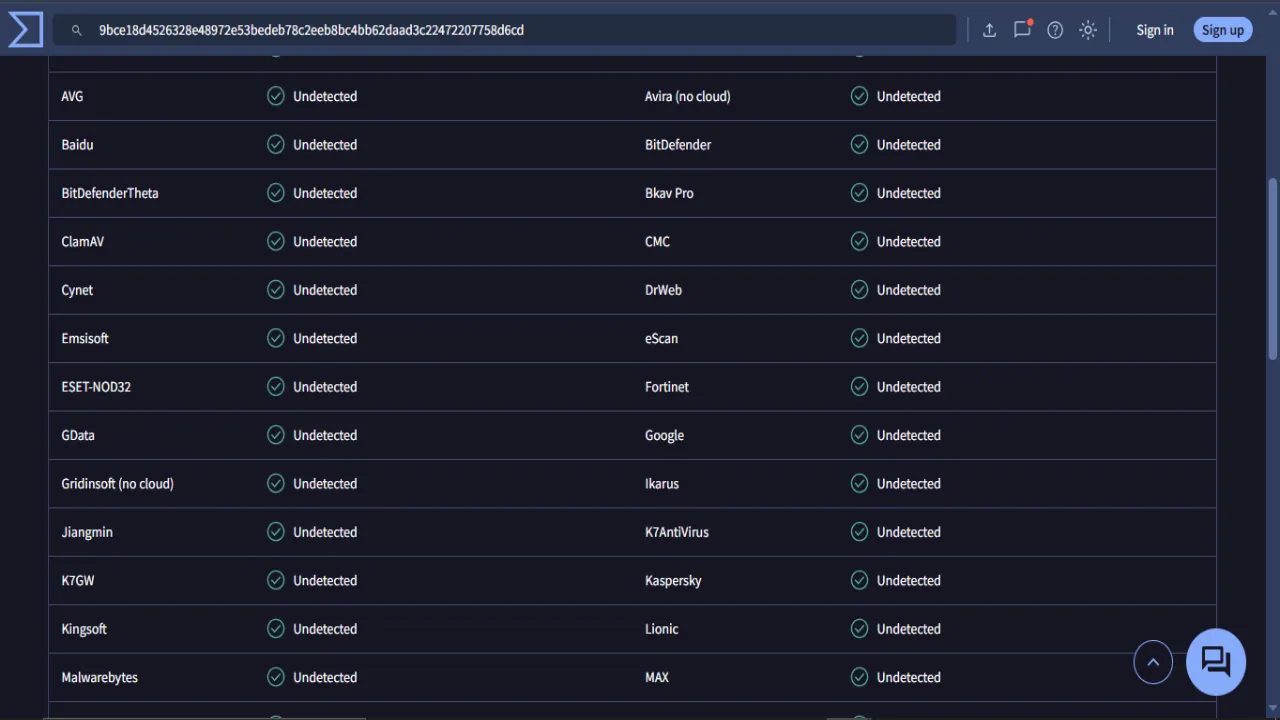
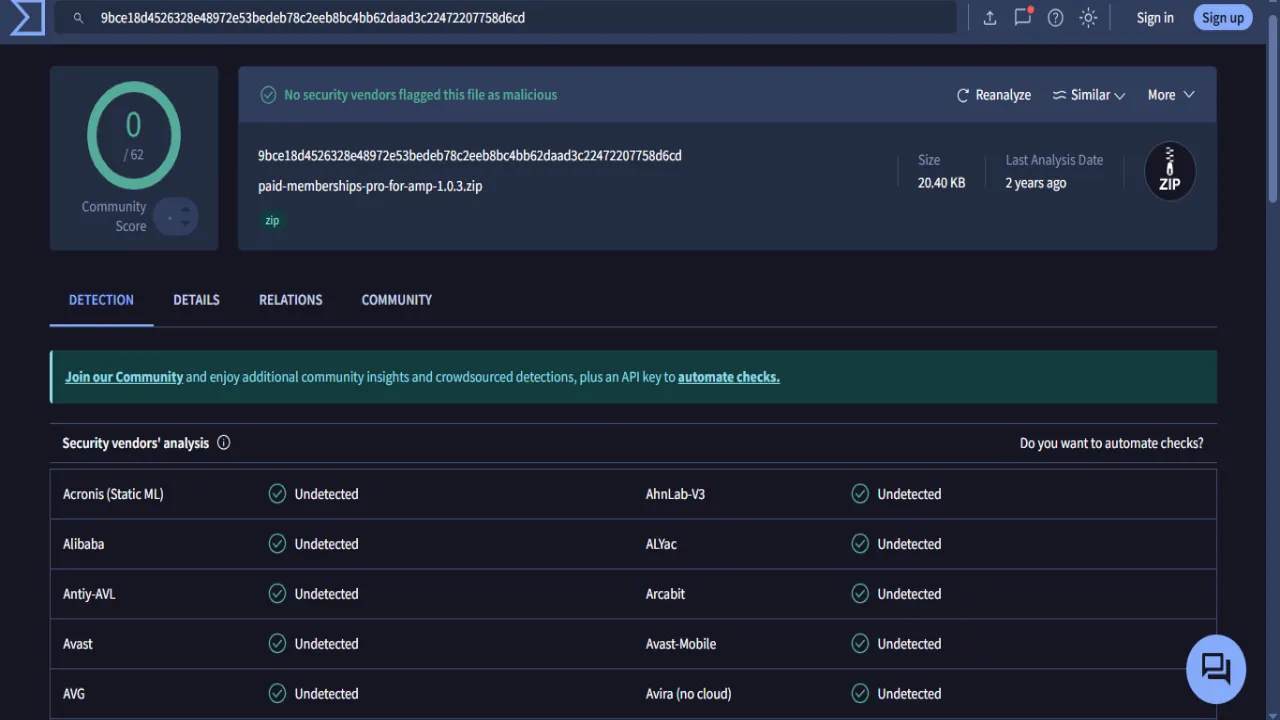
Scanned with VirusTotal
Frequently Asked Questions (FAQs)
Conclusion: Start Increasing Amazon Earnings Today
The AMPforWP – Paid Memberships Pro For AMP add-on is the ultimate tool for mobile monetization. It protects your premium content while providing the speed that mobile users demand. Don’t leave your mobile revenue to chance—secure your paywall today.
[Start Increasing Membership Earnings – Download the Add-on Now]
Internal Linking Suggestion: Read our guide on “Best WordPress Plugin for Amazon Affiliates” to learn how to add e-commerce revenue to your membership site.